
Mastering Visual Clarity: How Xmind Is Revolutionizing Mind Mapping and Visual Thinking
Organizing complex ideas, planning large-scale projects, and structuring research often presents a frustrating choice. Professionals, educators, and creative thinkers are frequently caught between taking linear, text-heavy notes that obscure key connections or settling for basic whiteboarding software that lacks structured layouts, automated slide generation, and cross-platform synchronization. Consequently, managing multi-faceted workflows—such as product roadmaps, fishbone cause-and-effect diagrams, or academic study guides—has historically meant struggling with cluttered canvases or manual presentation rebuilds.
Have you ever spent hours trying to manually organize scattered brainstorming notes into a logical deck, only to lose the flow of your meeting? Have you ever wanted to map out a complex multi-stage project, only to find the learning curve of enterprise software too steep to navigate?
If these common productivity and visual planning struggles sound familiar, you are ready for a smarter, more integrated solution: Xmind.
Xmind completely transforms how creators, project managers, educators, and teams map, structure, and present their ideas. By bypassing rigid diagramming platforms, the brand offers a comprehensive digital ecosystem built around flexible visual engines, embedded AI Copilot tools, and dynamic presentation modes. Designed as an all-in-one visual thinking hub, Xmind provides professional-grade mind mapping, chart creation, and execution frameworks that fit both your creative process and your operational setup.
Let’s take a closer look at how this visual mapping platform works, explore its primary software and AI offerings, and see how you can elevate your planning productivity while maintaining total visual clarity.
What Is Xmind?
At its core, Xmind is an industry-leading visual thinking and mind-mapping platform dedicated to making visual ideation, strategic planning, and knowledge organization accessible and intuitive. Moving far beyond basic linear note-taking apps, it offers a versatile software collection suited for every setting—whether you are organizing a product sprint from a remote workspace, lecturing in a university classroom, or mapping an enterprise organizational model.
Every Xmind canvas is constructed using advanced rendering engines, clean visual hierarchy rules, and cross-device sync architecture. Operating on a modern freemium model, the platform combines cutting-edge mapping options with smart software automation—such as AI-driven branch generation, automated Pitch Mode presentation slides, and real-time team collaboration. It pairs power with usability, backing every feature set with cross-platform desktop, mobile, and web accessibility.
With specialized subscription tiers ranging from a feature-rich Free version to AI-enhanced Pro and Premium editions, expanding your visual organization capacity remains seamless, effective, and aligned with your productivity goals.
Exploring the Core Mapping & AI Ecosystem
Whether you want an all-in-one radial mind map, an automated presentation deck, or a structured fishbone problem-solving framework, Xmind organizes its catalog into intuitive, easy-to-navigate categories:
1. Smart Canvas & Multi-Structure Layouts
Find versatile mapping formats tailored to handle brainstorming, strategic planning, and data organization with built-in layout flexibility:
- Mind Maps & Logic Charts: The classic radial tree structure designed for open-ended brainstorming, topic grouping, and knowledge mapping.
- Fishbone Diagrams & Matrix Views: Cause-and-effect structures engineered for root-cause analysis, risk assessments, and comparative data grids.
- Timelines & Org Charts: Sequential horizontal and vertical layouts ideal for product roadmaps, historical sequences, and team hierarchies.
2. AI Copilot & Automated Ideation Tools
Master rapid topic expansion and instant document parsing with embedded artificial intelligence:
- AI Branch Generator & Expansion: Automatically suggest related sub-topics, alternative angles, or logical next steps to overcome creative blocks.
- Text-to-Map Synthesis: Paste raw meeting notes, research papers, or project briefs to generate structured visual maps automatically.
3. Professional Presentation Studio
Process visual ideas into presentation-ready slide decks without re-building content in separate software:
- Automated Pitch Mode: Convert mind map branches into animated, presentation-ready slide decks with a single click.
- Zen Mode & Outliner View: Toggle between a distraction-free full-screen workspace and structured linear text outlines instantly.
4. Collaboration & Export Integrations
Expand your map’s utility with rich sharing and export upgrades:
- Multi-Format Vector & Document Export: Save maps cleanly as vector SVG, high-res PDF, PNG, Markdown, Microsoft Word, or PowerPoint files.
- Real-Time Team Co-Editing: Collaborate simultaneously with team members on shared cloud maps featuring live cursors and node comments.
How to Choose Your Mapping Setup Like an Expert

To get the best performance and workflow clarity from Xmind’s layout and feature collections, keeping a few key technical factors in mind helps ensure a smooth experience:
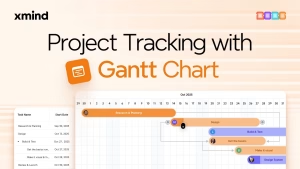
Match Layout Structure to Project Intent: Choose Radial Mind Maps for unstructured brainstorming; Timelines & Gantt Views for sequential project tracking; and Fishbone Charts for technical problem-solving and root-cause analysis.
Leverage Keyboard Shortcuts for Speed: Master core shortcuts like Tab to create child nodes and Enter to create sibling nodes to map thoughts at the speed of typing without touching the mouse.
Factor in Export Requirements: Ensure your intended final output aligns with your target workflow—utilizing Markdown or Word exports for drafting, or Pitch Mode for client presentations.
Key Visual Thinking Concepts to Keep in Mind
Understanding basic visual mapping technology helps you select the ideal combination of structures and tools for your workflow:
- Radial vs. Linear Mapping: Radial mapping branches outward from a central concept to engage non-linear visual thinking, whereas linear mapping organizes information strictly top-to-bottom.
- LaTeX Formula Support: Integrated mathematical notation rendering that allows engineers, researchers, and students to display complex equations directly inside topic nodes.
- Bi-Directional Relationships: Custom visual connectors that draw explicit associations between distant nodes across different map branches.
Why Choose Xmind?
In a market split between rigid, manual diagramming tools and basic note-taking applications, Xmind provides an accessible, reliable alternative:
- Direct Multi-Structure Canvas: Mix and match mind maps, timelines, and fishbone charts inside a single unified visual workspace.
- Intuitive AI Ecosystem: Leverage context-aware AI tools to brainstorm, summarize, and structure thoughts in seconds.
- Presentation-First Design Philosophy: Transform complex visual branches into clean presentation decks with automated Pitch Mode transitions.
- All-in-One Visual Toolkit: Cross-platform sync, rich export options, LaTeX support, and team co-editing engineered to work together natively out of the box.
Integrating Xmind into your daily routine eliminates the frustration of scattered notes, tedious slide formatting, and fragmented project outlines. By combining robust mapping engines with smart automation, Xmind makes turning chaotic ideas into structured, actionable plans simple, fast, and visual.
Upgrade Your Visual Planning Today
Refreshing your organization capabilities and streamlining your workflow shouldn’t require complex software setup or hours of manual formatting. With an online platform featuring everything from AI-driven branch expansion to automated Pitch Mode presentations, your workspace stays ready for every idea and project.
Take charge of your visual thinking, explore trend-setting mapping features, and find productivity tools built around your life. Explore Xmind today to update your personal visual studio!